Quick Answer
- Tune in this order: reset the head unit and amplifier, set the crossovers, set the gain, then set subsonic, bass and EQ.
- Gain matches the amplifier to the head unit’s signal; it is not a volume control. Set it at about 75% of the head unit’s maximum volume (Diamond Audio, 2025).
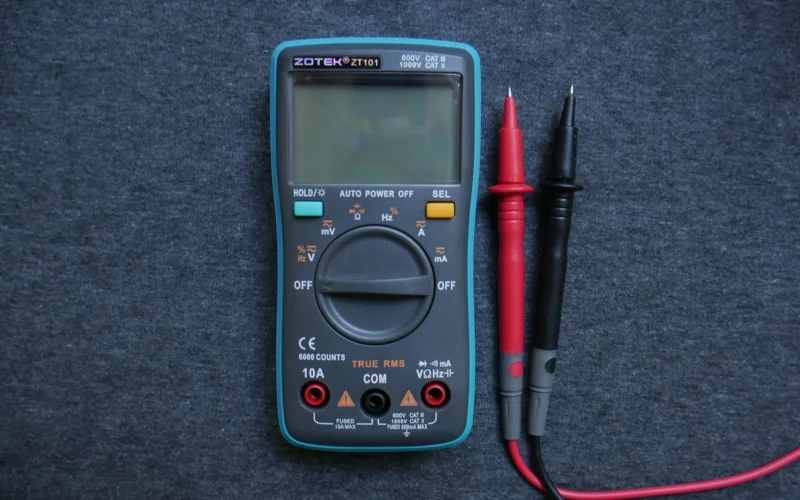
- For the most accurate gain, use a multimeter: target AC voltage equals the square root of RMS power times impedance, so 75 watts into 4 ohms is 17.3 volts.
- Good starting crossover settings are a high-pass around 80 Hz for door speakers and a low-pass around 80 Hz for a subwoofer (Diamond Audio, 2025).
- Leave bass boost at zero and make EQ changes in small cuts, listening from the driver’s seat.
To tune your car amplifier, start with the head unit’s EQ flat and the amplifier’s gain and bass boost at minimum, set the crossover filters, raise the gain to match the head unit’s clean maximum output, then fine-tune bass and EQ by ear from the driver’s seat. Done in that order, it takes about 30 minutes and makes a cheap system sound far better than a badly set expensive one.
What You Need Before You Tune
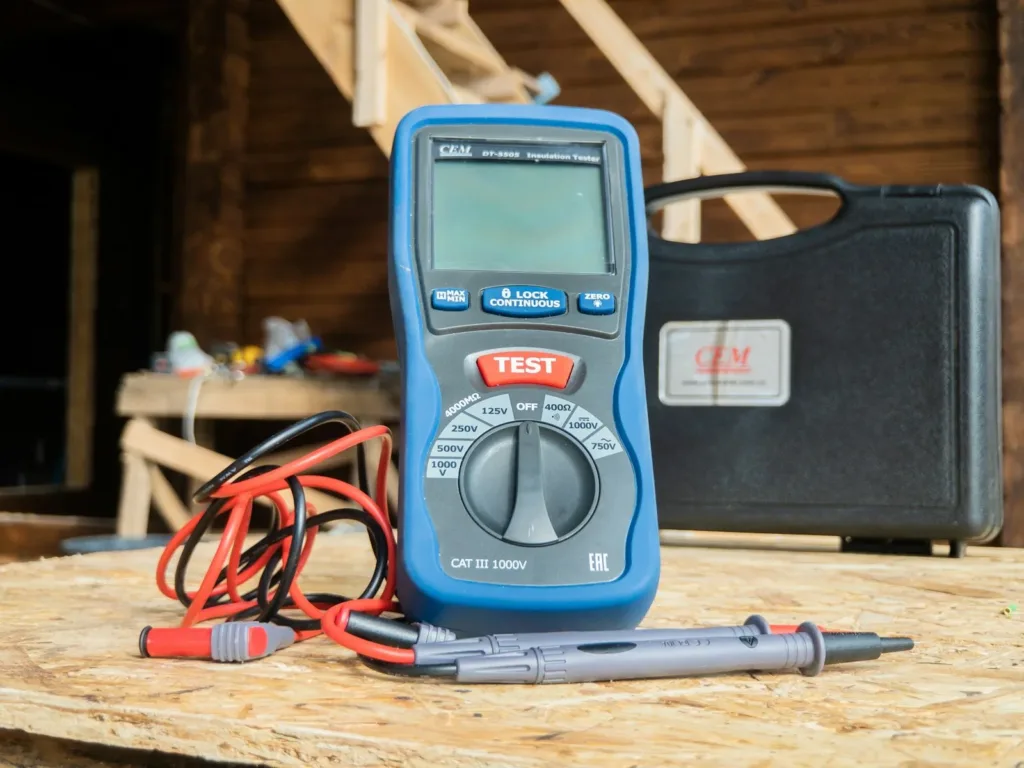
You need a few test tones (a 1 kHz tone and a 40 or 50 Hz tone, both recorded at 0 dB), two or three music tracks you know well, and a small screwdriver for the amplifier’s controls. A digital multimeter is optional but gives a far more accurate gain setting.
Park somewhere you can play music at a loud volume without disturbing anyone, and keep the engine running during the gain step so the amplifier sees normal charging voltage.
Step 1: Reset the Head Unit and the Amplifier
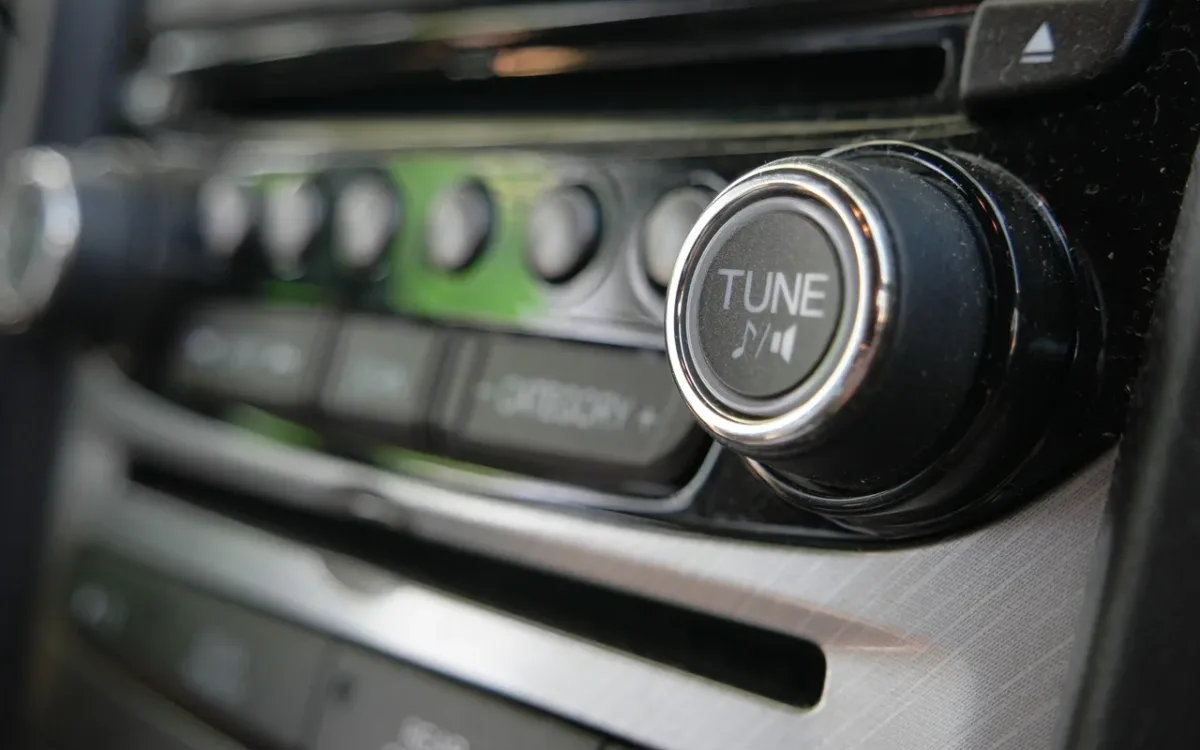
Reset everything to neutral before you touch the gain. On the head unit, set the EQ flat, turn off loudness and any bass enhancement, and center the balance and fader. On the amplifier, turn gain and bass boost to minimum.
This matters because the amplifier can only be as clean as the signal it receives. A head unit EQ with bass turned up clips at high volume, and setting the gain against a clipped signal locks that distortion into every song.
Step 2: Set the Crossover Filters
Set the crossovers before the gain, so each speaker only plays the frequencies it handles well. Start with a high-pass filter (HPF) around 80 Hz on the door speakers and a low-pass filter (LPF) around 80 Hz on any subwoofer channel (Diamond Audio, 2025).
| Speaker | Filter | Starting point |
|---|---|---|
| Door speakers or component woofers | High-pass | About 80 Hz |
| Separate tweeters on their own channel | High-pass | About 3,000 Hz |
| Subwoofer | Low-pass | About 80 Hz |
If your amplifier offers a slope setting, choose the steepest, usually 24 dB per octave. Small 6.5-inch door speakers play louder and cleaner once deep bass is filtered out, because they no longer waste cone movement on notes they cannot reproduce.
Step 3: Set the Amplifier Gain
Set the gain so the amplifier reaches full clean output just as the head unit reaches its highest clean volume. The quick method is by ear; the accurate method uses a multimeter and a test tone.
By ear, play a familiar, dynamic track, raise the head unit to about 75% of its maximum volume, then raise the gain until you hear distortion and turn it back until the sound is clean (Diamond Audio, 2025). Do each channel pair separately with the fader.
With a multimeter, disconnect the speakers, play a 0 dB test tone (1 kHz for speakers, 40 or 50 Hz for a subwoofer) at the head unit’s clean maximum, and raise the gain until the AC voltage across the speaker terminals reaches the target.
The target voltage is the square root of the amplifier’s RMS power multiplied by the speaker impedance:
| Amplifier output | Load | Target AC voltage |
|---|---|---|
| 50 W RMS | 4 ohms | 14.1 V |
| 75 W RMS | 4 ohms | 17.3 V |
| 100 W RMS | 4 ohms | 20.0 V |
| 500 W RMS | 2 ohms | 31.6 V |
Our guide on how to test a car amplifier with a multimeter explains how to take AC readings safely. Once the gain is set, never turn the head unit past the volume you used, because above it the signal starts to clip.
Step 4: Set the Subsonic Filter and Bass Boost
Turn bass boost to zero and set the subsonic filter for any subwoofer. Bass boost lifts a narrow band, usually around 40 to 45 Hz, and pushes the amplifier toward clipping; clean bass comes from correct gain and a good enclosure instead.
The subsonic filter blocks notes too low for the enclosure to use. A common range is 20 to 30 Hz (Orion Car Audio, 2026). For a ported box, set it at about 80% of the box’s tuning frequency, for example 28 Hz for a box tuned to 35 Hz (AudioControl, 2026). AudioControl’s subsonic filter setup procedure explains how to fine-tune it by ear afterward. A sealed box can use a lower setting or none at all.
Step 5: Balance the Subwoofer With the Speakers
Balance the subwoofer by ear once the front speakers are set. Play several tracks and adjust the subwoofer level until the bass sounds full but does not draw attention to the trunk. Then flip the phase switch between 0 and 180 degrees and keep the setting that sounds louder around the crossover point.
If the bass seems to come from behind you, lower the subwoofer’s low-pass filter slightly or reduce its level. Well-balanced bass sounds like it comes from the front of the car.
Step 6: Fine-Tune With EQ From the Driver’s Seat
Make final adjustments from the driver’s seat with music you know well. Use small cuts rather than boosts where possible: lowering a harsh or boomy band by 2 or 3 dB usually sounds better than raising everything around it, and it keeps your gain setting valid.
If your amplifier or head unit has time alignment, use it to delay the speakers closest to you so sound from every speaker arrives at your ears together. Sound travels about 13.5 inches per millisecond, so a speaker 27 inches closer than its opposite partner needs about 2 milliseconds of delay.
Common Car Amplifier Tuning Mistakes
| Mistake | What happens | Fix |
|---|---|---|
| Gain turned to maximum | Clipping and heat, even at moderate volume | Reset gain with a test tone |
| Bass boost turned up | Distorted, one-note bass | Set it to zero |
| No high-pass on door speakers | Door speakers distort on bass notes | High-pass around 80 Hz |
| Tuning with head unit EQ boosted | Clipped signal locked into the gain | Set EQ flat first |
| Subwoofer level far too high | Boomy bass that hides vocals | Balance by ear from the driver’s seat |
A badly set gain is one of the most common reasons amplifiers fail. If yours has already stopped working, see our guide on how to fix a blown car amplifier. If you are still choosing hardware, our guide on how to choose an amplifier for car speakers covers power matching.
How to Tune an Amplifier Connected to a Factory Stereo
Tune an amplifier on a factory stereo the same way, but find the factory head unit’s clean maximum volume first. Many factory radios distort, limit or cut bass before they reach full volume, so the usual 75% rule does not always apply.
Set the factory EQ and tone controls to their middle positions and turn off speed-sensitive volume. Play a 0 dB 1 kHz tone and measure AC volts across the factory speaker wires feeding the amplifier while you raise the volume one step at a time. The voltage should rise steadily; the step where it stops rising, or rises much less than before, is the radio’s limit. Back off one or two steps and set the amplifier gain at that volume.
Repeat the check with a 40 or 50 Hz tone before setting a subwoofer channel. Some factory systems reduce bass as the volume goes up to protect small door speakers, so the subwoofer can fade exactly when you turn it up. If that happens, a line output converter with a bass restoration circuit, or an amplifier with a built-in DSP, puts the missing bass back.
When to Re-Tune Your Car Amplifier
Re-tune your amplifier whenever you change anything in the signal chain, because gain and crossover settings only match the parts they were set with. A new head unit, for example, may have a stronger or weaker preamp output than the old one.
- After replacing the head unit, speakers, amplifier or subwoofer.
- After changing the subwoofer enclosure or its tuning.
- After rewiring speakers to a different impedance.
- When the system starts distorting at a lower volume than it used to.
- When the amplifier runs hotter than usual or goes into protect mode.
A quick check with a test tone takes a few minutes and confirms the settings still suit the system.
Frequently Asked Questions About Tuning a Car Amplifier
What should I set my amp gain to?
Set the gain so the amplifier reaches its rated output at the head unit’s highest clean volume, usually about 75% of maximum. With a multimeter, the target AC voltage is the square root of RMS power times impedance, for example 17.3 volts for 75 watts into 4 ohms.
What frequency should I set my high-pass filter to?
Start around 80 Hz for door speakers and component woofers (Diamond Audio, 2025). Raise it slightly if small speakers still distort on bass notes, or lower it if you have larger, more capable speakers and want more midbass from the doors.
Is gain the same as volume?
No. Gain matches the amplifier’s input to the strength of the head unit’s signal. Volume is how loud you play. Turning gain up does not add power; it makes the amplifier clip sooner.
Should bass boost be on or off?
Off for most systems. Bass boost lifts a narrow band of bass and pushes the amplifier toward clipping, which adds distortion and heat. Use proper gain, crossover and subwoofer level settings instead.
Do I need an oscilloscope to tune a car amplifier?
No. The multimeter method with a 0 dB test tone sets gain accurately enough for most systems. Installers use an oscilloscope because it shows clipping directly, which helps with high-power systems or head units whose output is unknown.
How do I know if my amplifier is clipping?
Clipping sounds harsh and gritty, especially on loud passages, and bass sounds flat and distorted instead of full. The amplifier may also run hot or go into protect mode. Lower the gain and set it again with a test tone.
Summary: How to Tune Your Car Amplifier
- Reset the head unit EQ and the amplifier’s gain and bass boost before you start.
- Set crossovers first: about 80 Hz high-pass for doors and 80 Hz low-pass for a subwoofer.
- Set gain at about 75% of head unit volume by ear, or to a target voltage with a multimeter.
- Keep bass boost at zero, set a subsonic filter for ported boxes, then balance and fine-tune from the driver’s seat.